My wifi was giving me hell in the room upstairs.
I had recently moved out of Bangalore and back home in the NCR for a month. A month is a long time to go without a good setup or some games, so I decided to prop up my desktop setup in my room upstairs. It’s gonna take an hour maybe, I thought. The WiFi had other plans.
I tried connecting directly to the wifi repeater on the same (2nd) floor and…
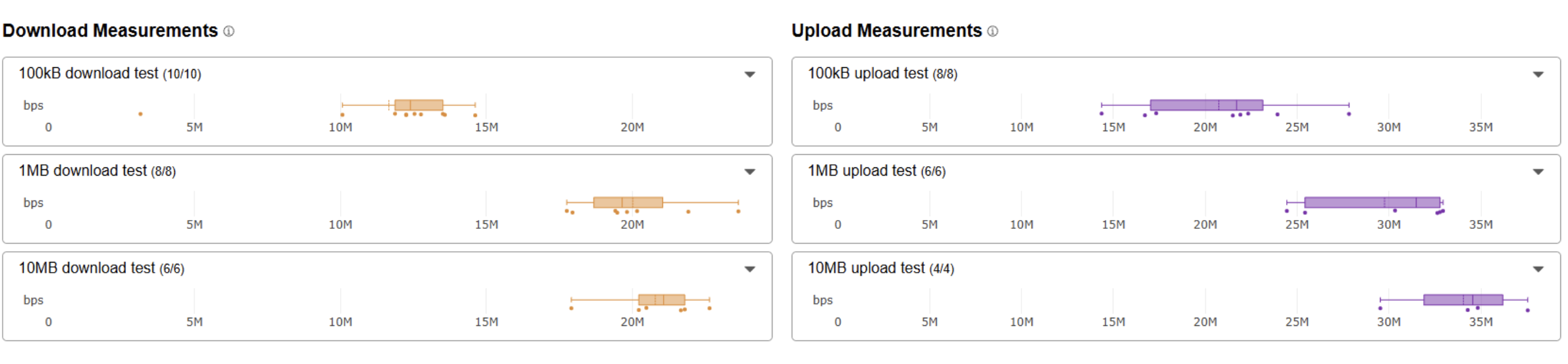
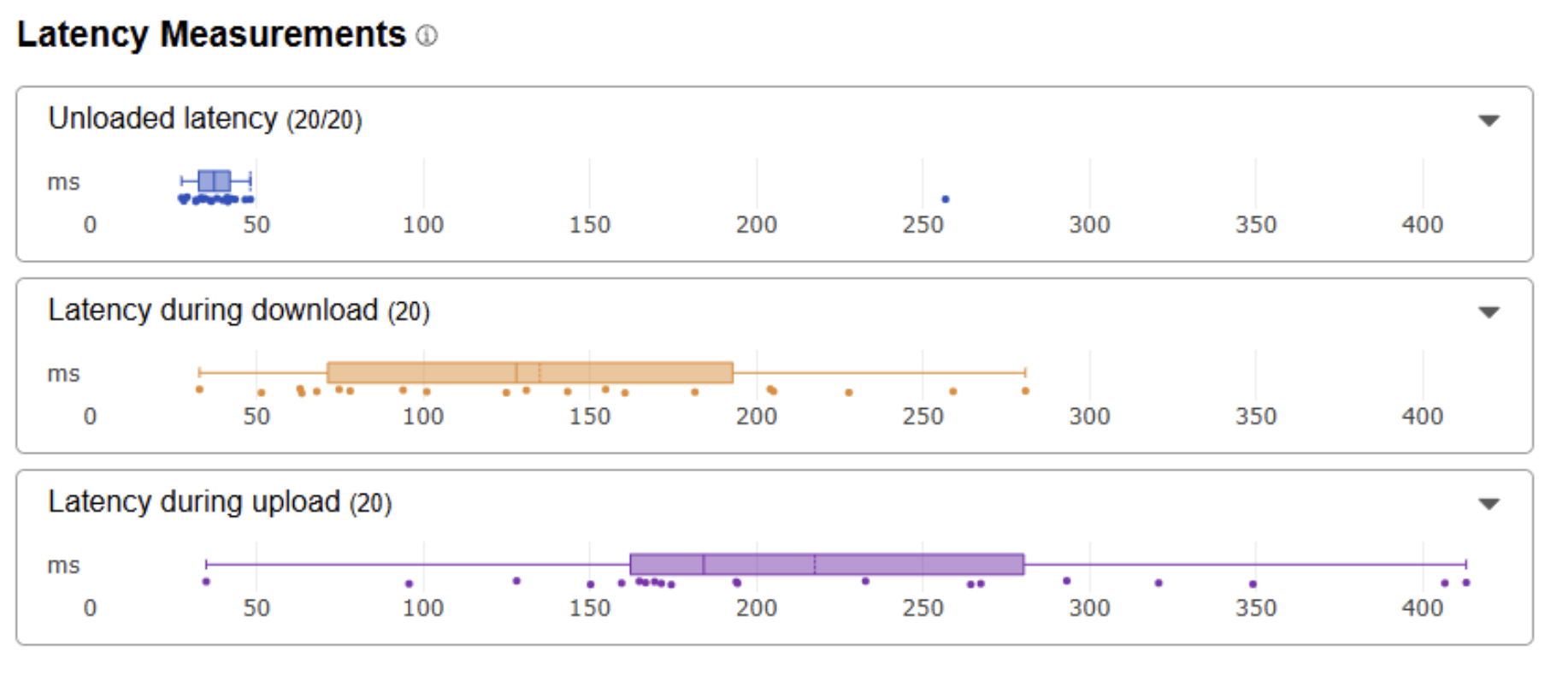
Oof. Bad throughput and worse latency, horrible p50. This was only a 100Mbps fiber connection, but even so I was losing 80% of the bandwidth from my PC to the main egress.
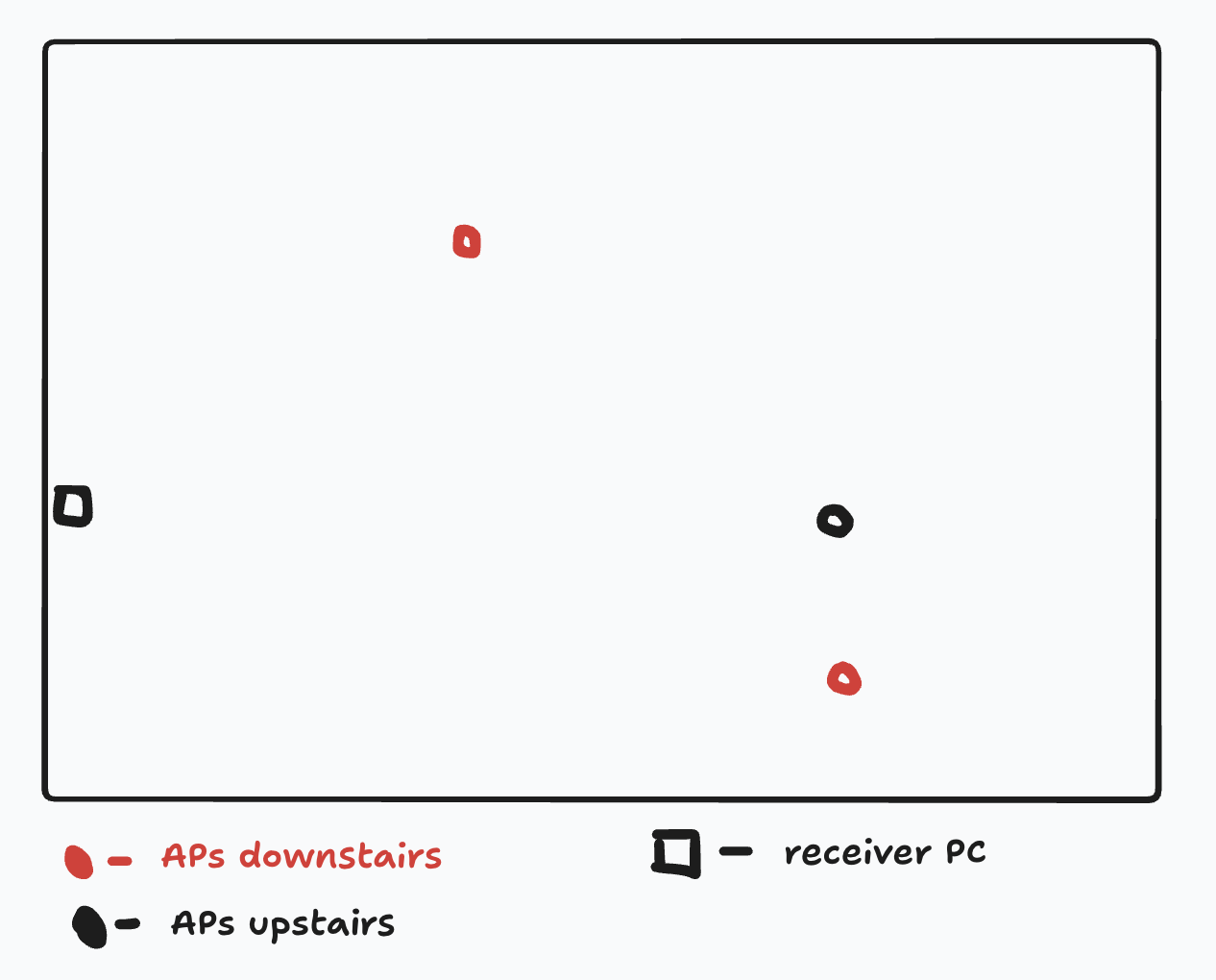
For reference this was what the layout looked like:
- My room with the PC is on the first floor.
- The main router with fiber connection is on the ground floor in the hall (central to the house)
- There was a mesh repeater about vertical to it on the first floor.
- There was another repeater on the ground floor front side of the house.
The initial hypothesis was that throughput was honestly not my biggest problem. Low but very workable for normal surfing and youtube. But the ping was making playing Val impossible. Routinely going upto 1-3s. No stability at all.
I had an old Tenda AC10 (AC1200 MU-MIMO) I got back from Bangalore after having used it(never). Decided to try it as a big antenna because I suspected that the wifi antenna on the bottom of my microITX chassis was quite subpar and was the main culprit here.
Trying Out Some Hacks
I set up the router in Client+AP wireless repeater mode (it already had this in the stock firmware, yay!). Here are some configurations and results.
Connecting to the Tenda over WiFi
The Tenda acting as a repeater in the same room. Connecting to the repeater on the first floor. One extra OTA hop. (5GHz)
Effectively: PC -wifi→ Tenda -wifi→ Repeater -wifi→ Main Router → Fiber
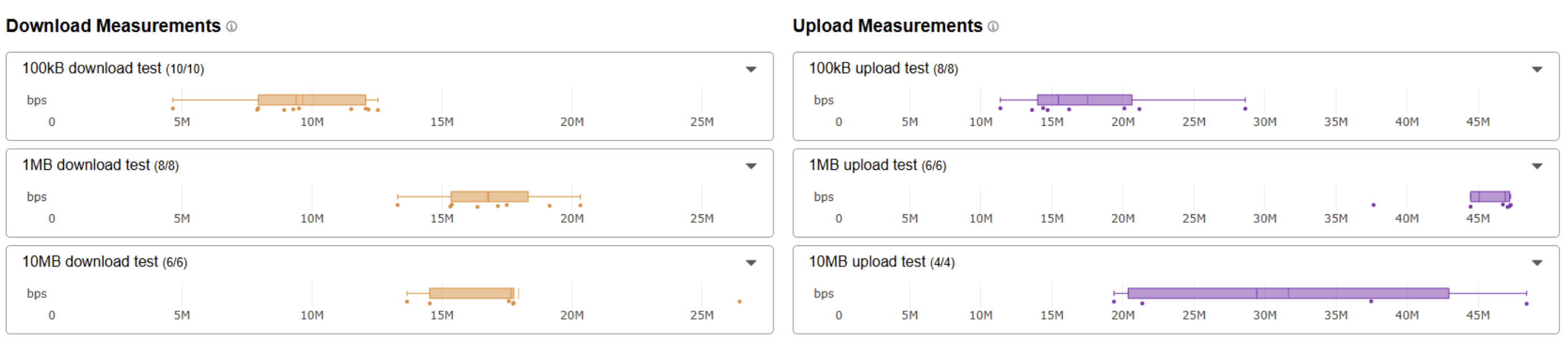
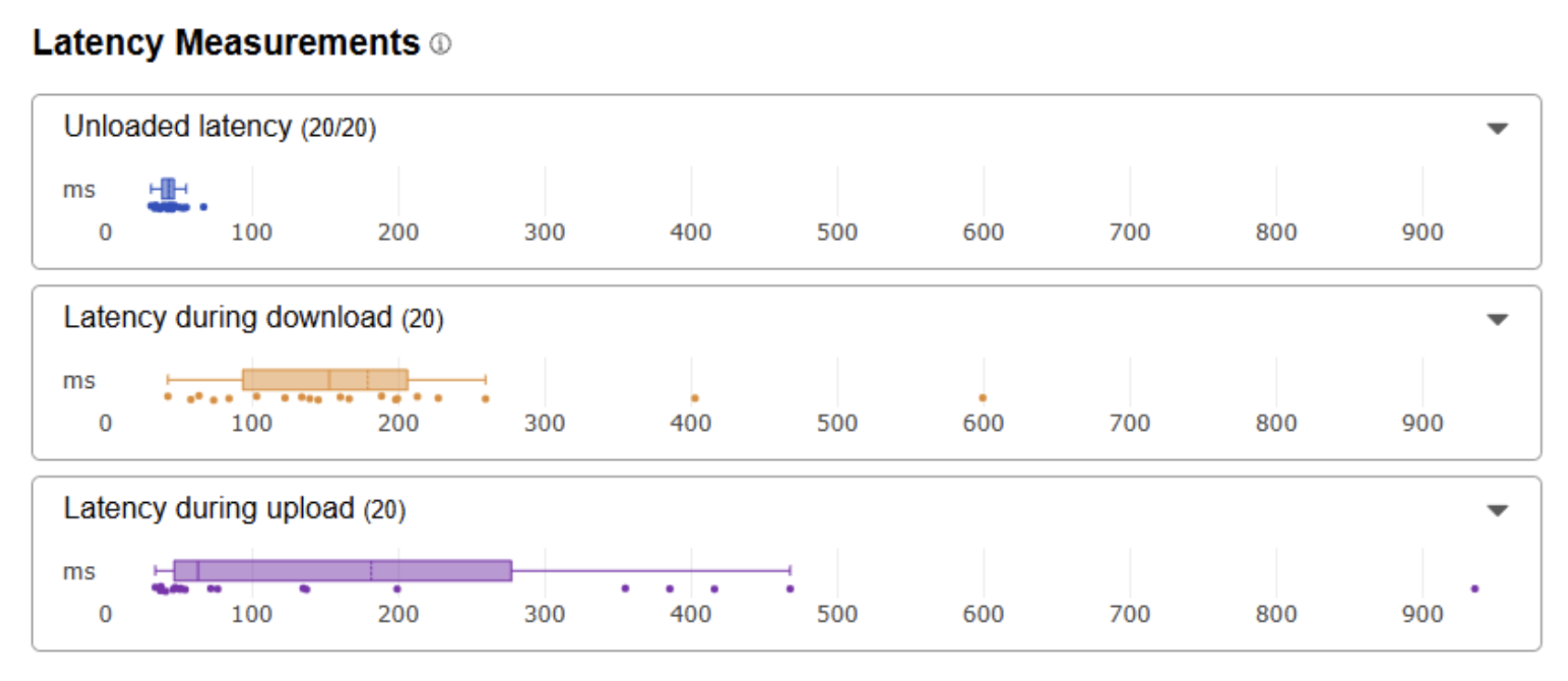
Worse throughput, similar latency. Not a fan. The graph just looks misleadingly tighter because of some outliers. It’s practically worse than just connecting to the router.
Connecting to Tenda over Ethernet(Cat5E)
Next, I connected the Tenda directly to my PC with an ethernet cable.
Effectively: PC → Tenda -wifi→ repeater -wifi→ main router → Fiber
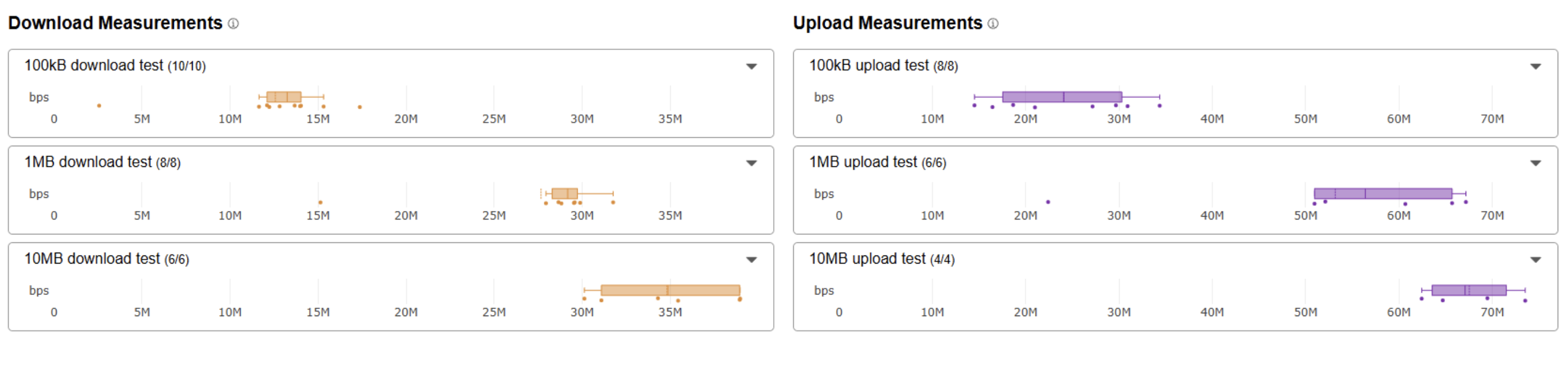
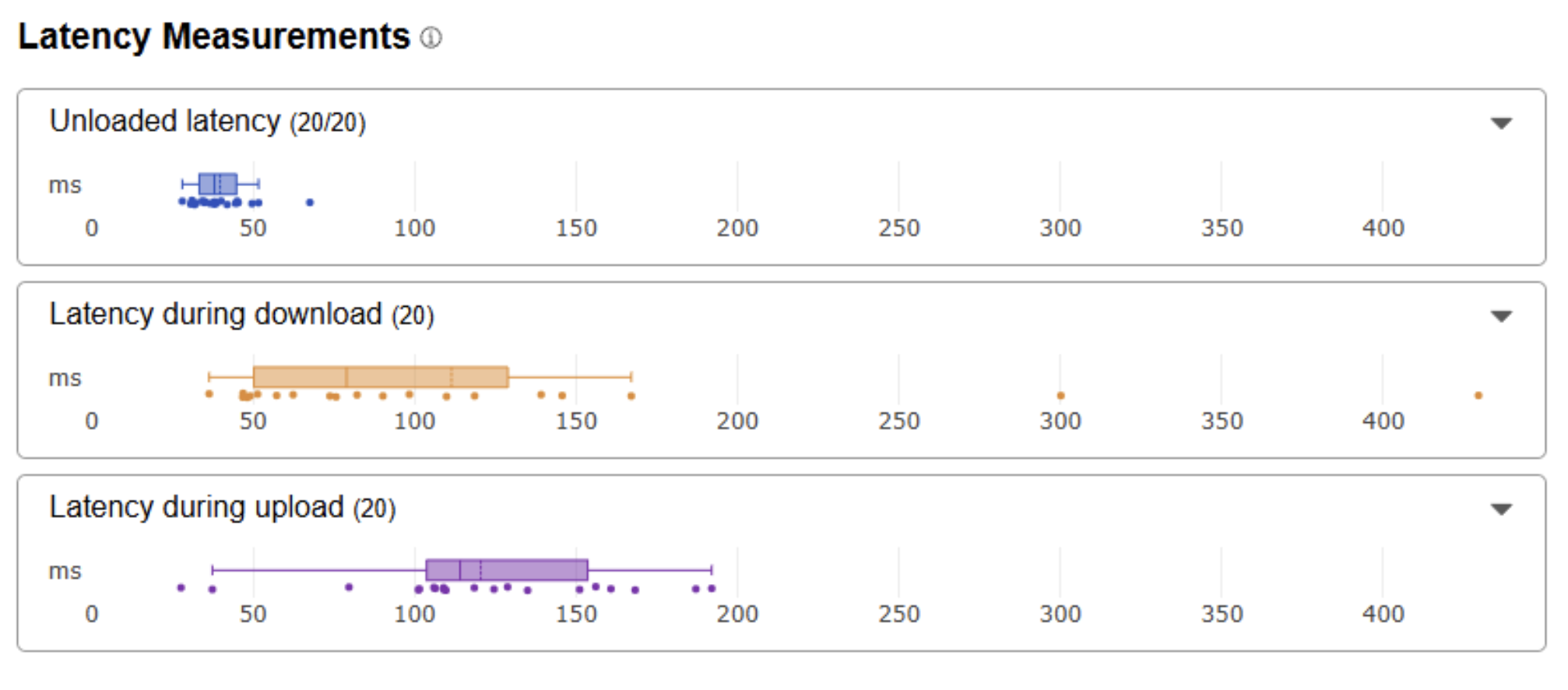
Now we’re talking! This was meaningfully better. The throughput almost doubled, but sadly the latency under load was pretty iffy. I imagined that this would mean that this was a dead end as I didn’t care as much about the throughput. But I was wrong.
I tried playing with this setup and to my shock the ping was quite stable at 45ms. I couldn’t have asked for too much playing in Delhi on the Mumbai server anyways, maybe 20ms at best, so this was just fine for my gold lobbies.
The interesting bit I had overlooked was that the low bandwidth in the initial baseline was causing the setup to shift into the “loaded” latency profile, and becoming super spiky. When the chokepoint was released I could comfortably stay in the “unloaded” latency zone.
I did try another obvious configuration.
Connecting to Main Router via Tenda
I bypassed the repeater on the first floor completely.
Effectively: PC → Tenda -wifi→ Main Router → Fiber
I imagined this would be a much better config, with one less hop, and better latency.
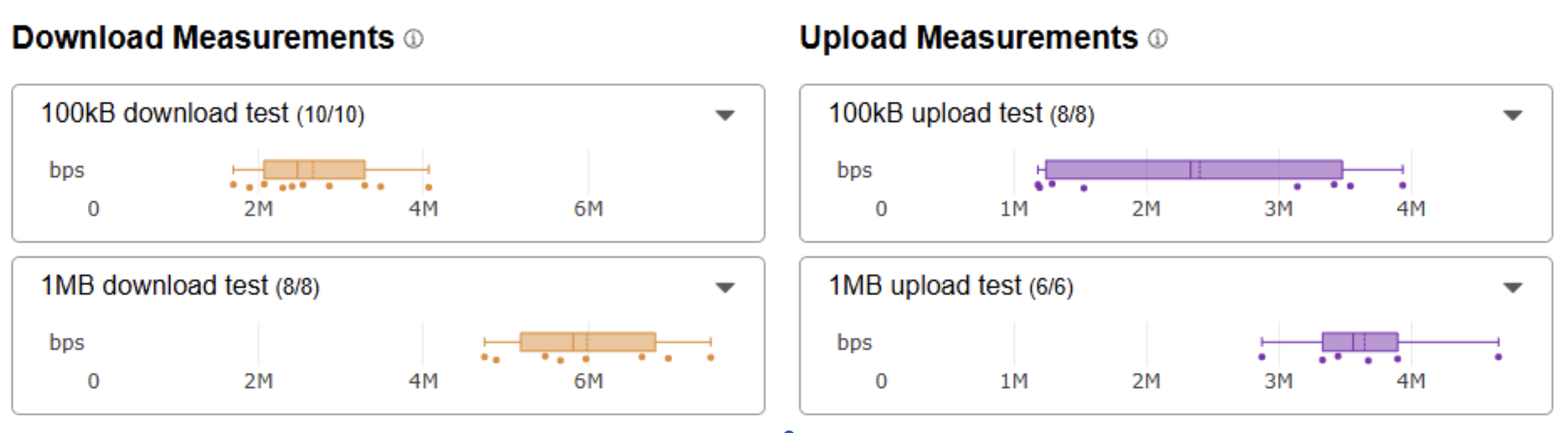
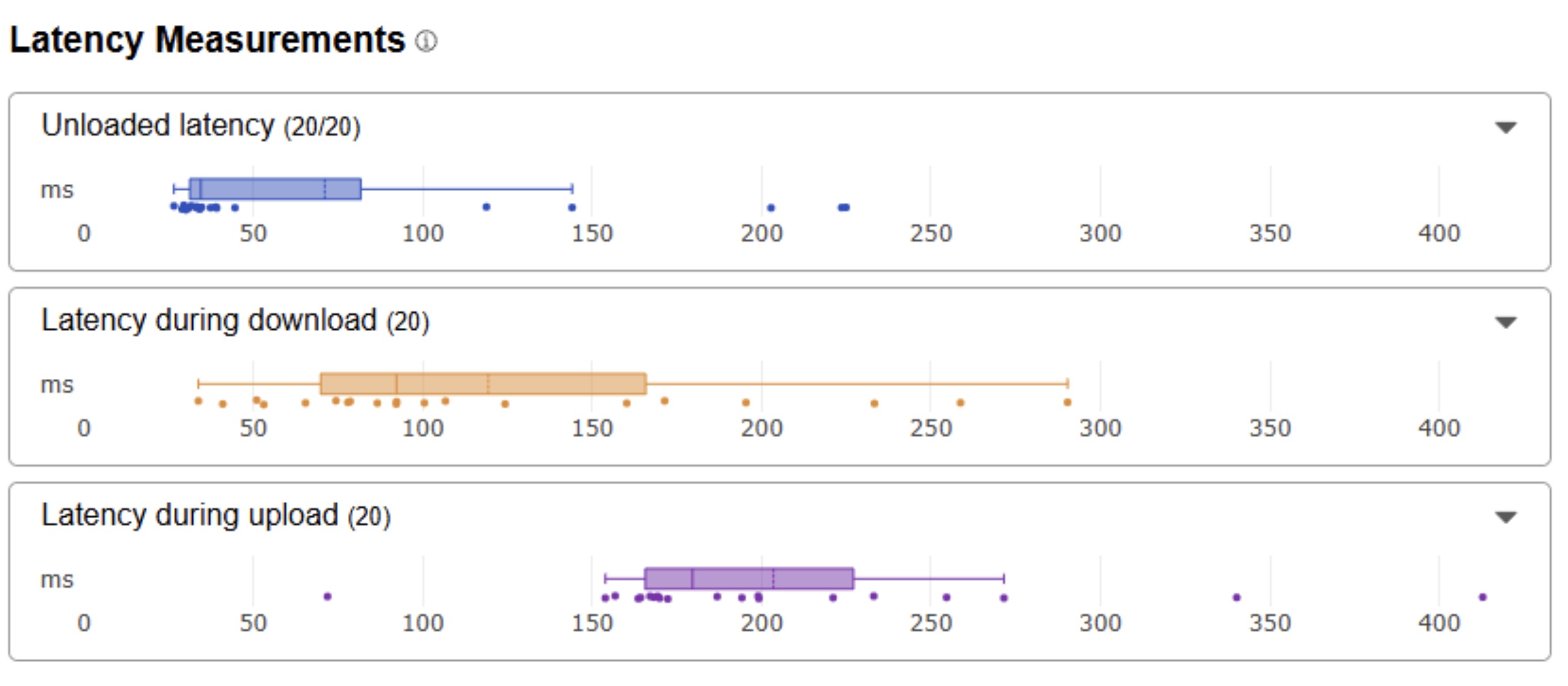
Yeah…no.
The throughput was so bad that Cloudflare didn’t even bother doing the 100MB test. The unloaded latency also went up. I imagine that the loss in signal strength here just completely eclipses any possible gains from eliminating the repeater hop.
Conclusion
Connecting to the Repeater through Tenda on Ethernet is quite nice. The ping on Valorant is also stable at 45ms so the functional test passes, yay! The Sisyphean road to Ascendant begins.